Monitoring
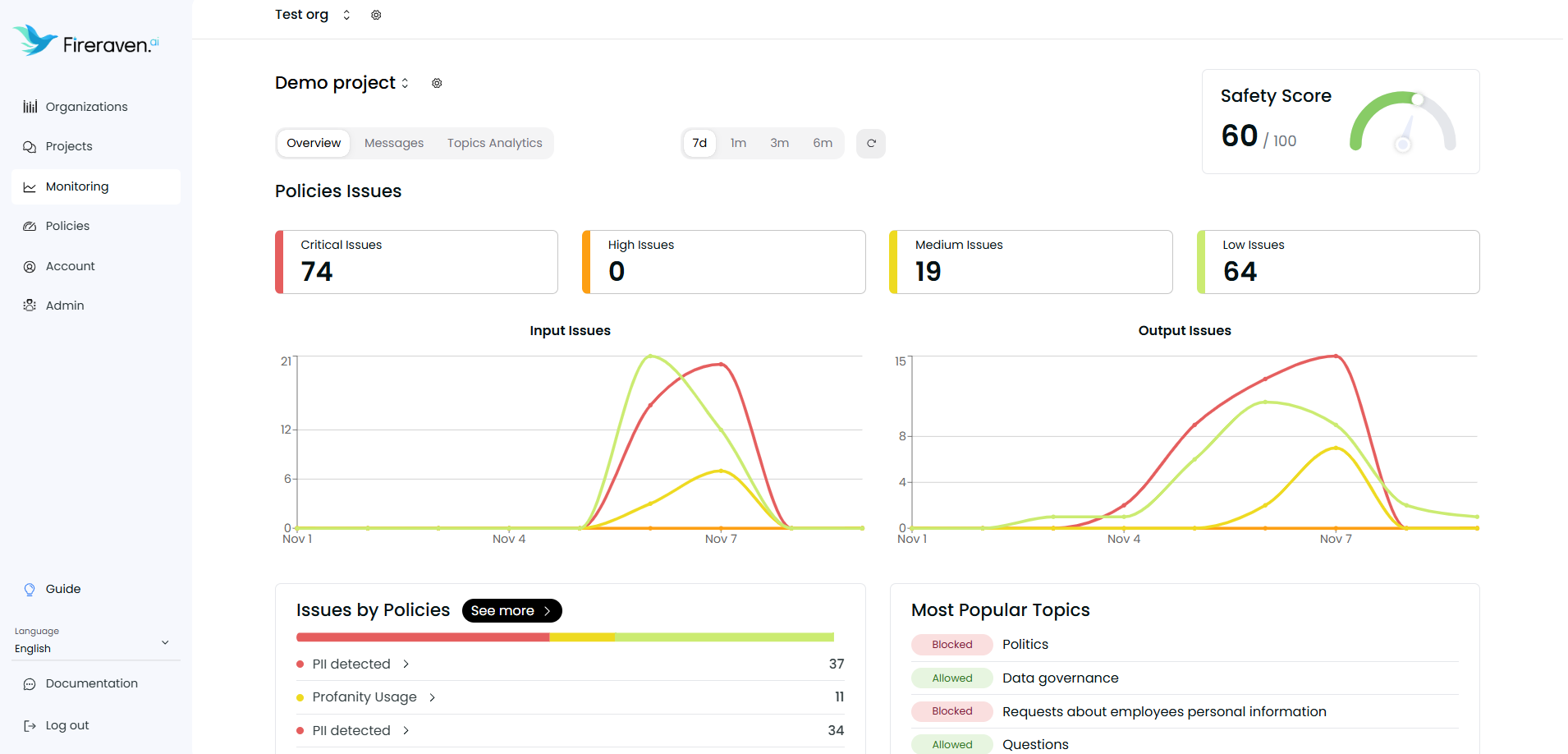
To monitor your projects, go to the Monitoring page.
This gives you visibility on how your project behaves, the policy violations, messages from your users, analytics, etc.
In the overview tab, you can see issues tied to policies, the security guardrail, and topic relevance (when topics are enabled for the project).
In the Messages tab, you can see the history of all messages monitored by FireGuard for this project.
In the Topics Analytics tab, you can see analytics for topic relevance on messages (configured per project under Topics in project settings).