Policies
FireGuard Policies provide a system for evaluating if message (inputs and outputs) comply with policies and rules you put in place.
See a policy as a "rule" you put in place, and FireGuard can then see if the message contains what the policy prohibits (which would trigger a policy violation).
Policies are defined at the organizational level (Organizations own policies, so they can be shared between projects).
To access the policies, go to the Policies page.
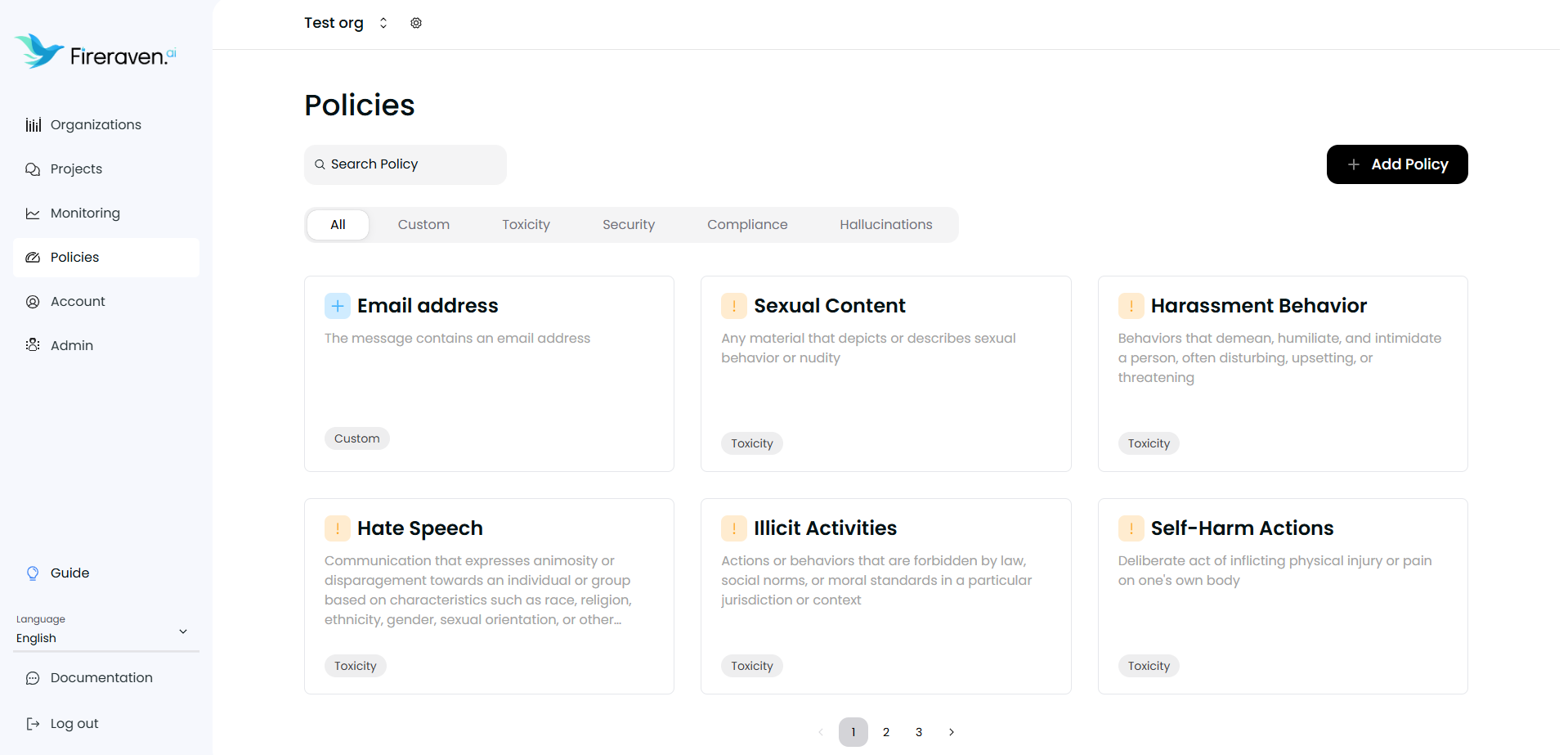
Create a policy
To create a new custom policy, click on the Add Policy button.
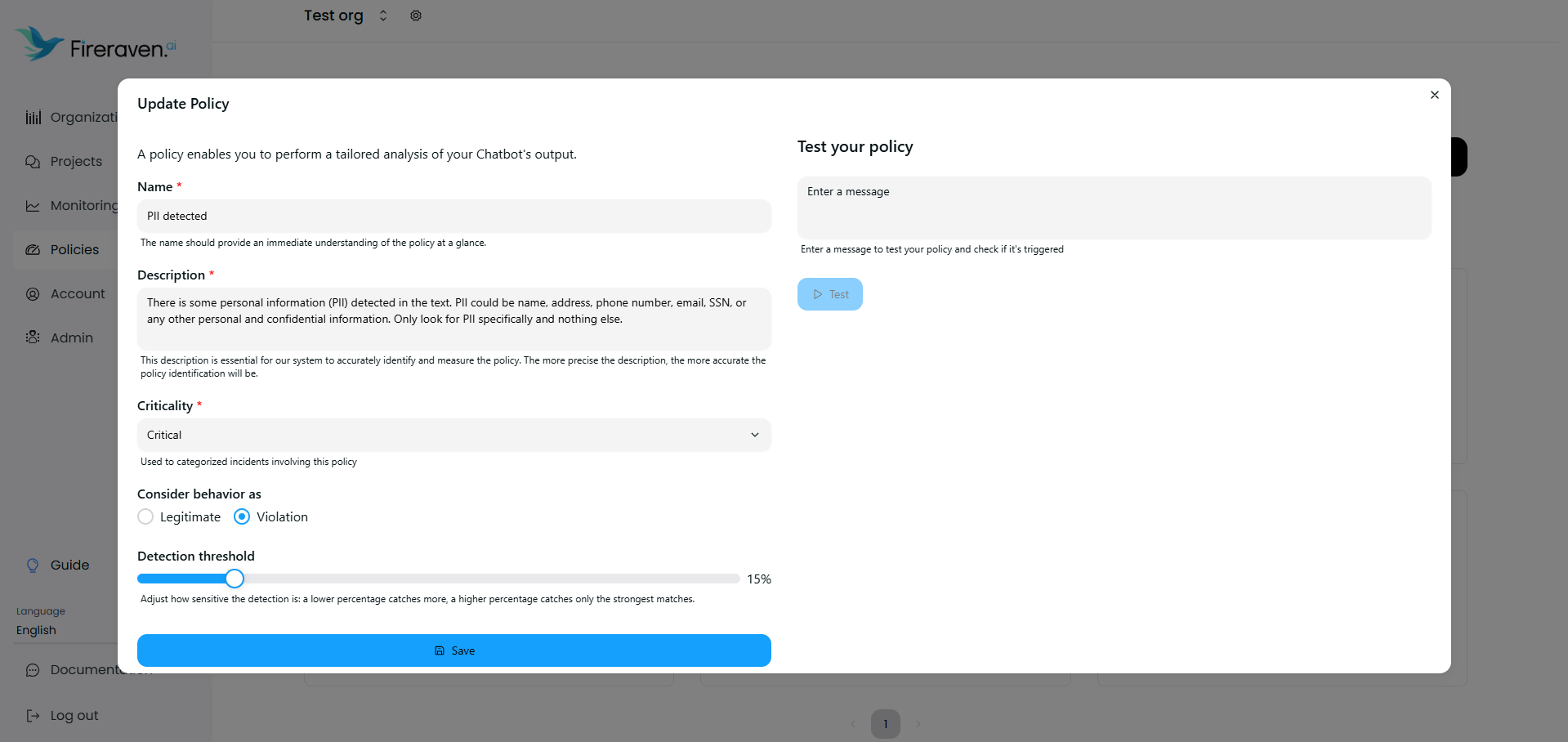
In the interface to configure a custom policy you can see multiple field to configure:
Name (mandatory)
The policy name should provide an immediate understanding of the policy at a glance.
Description
This description is essential for our system to accurately identify and measure the policy. The more precise the description, the more accurate the policy identification will be.
Criticality
Used to categorized incidents involving this policy.
Legitimate/Violation
Indicates whether a policy detection is safe or unsafe: detecting a legitimate policy is safe; detecting a violation triggers an issue; missing a legitimate policy triggers an issue; missing a violation is safe.
Detection threshold
Adjust how sensitive the detection is: a lower percentage catches more, a higher percentage catches only the strongest matches.
Test your policy
To validate the policy directly from the configuration interface.
Save your policy
Once the policy is configured, you can click on Create
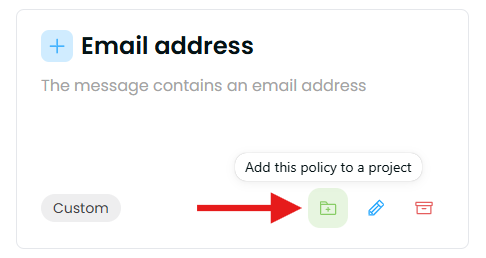
Add your policy to a project
To add a policy to a project, you can click on the green icon at the bottom right of a policy
Default policies cannot be modified at this time, and their criticality level is set to Medium. However, we plan to allow editing of default criticalities in the future.
Delete a policy
To delete a policy, find the policy you want to remove, hover over it, and click the red archive icon. You will be prompted to confirm the deletion before it's permanently removed.
If the policy has never been used, it will be permanently deleted. However, if the policy has been used, it won't be deleted; instead, it will be archived so you can still view its usage in the monitoring dashboard. Please note that archived policies cannot be restored.