Change Organization Owner
As an organization owner, you are able to change the ownership of your organization.
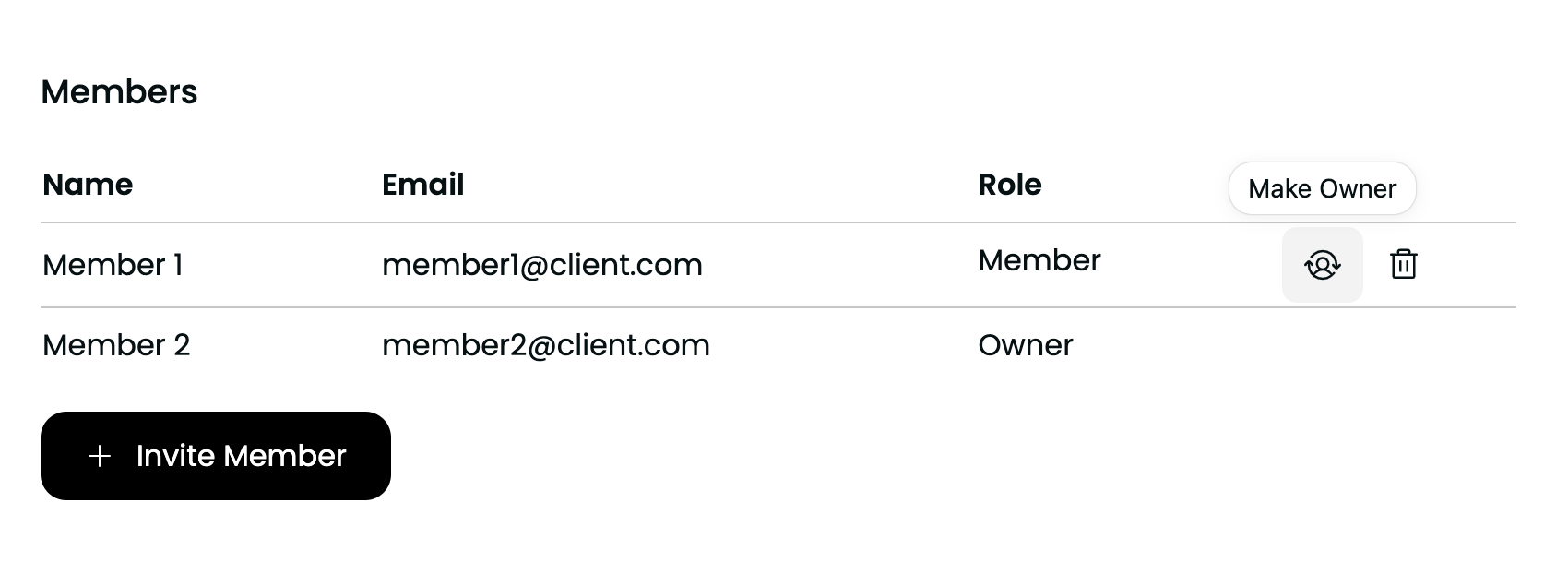
To change the ownership of an organization, head to the Organization Settings page. There, you should be able to see the list of organization members.
Click the user-with-arrows icon (highlighted in the image below) for the user you want to make owner of the organization. A confirmation popup will appear. Once you confirm the action, the user will become the new owner of the organization. From that moment on, you will only be a member of the organization.
warning
To make a user the owner of an organization you need to consider the following things:
- Once it is done, you are not the owner of the organization anymore - there is only one organization owner.
- To become owner of the organization again, the current owner should make the same process, giving the ownership back to you.
- After becoming a member, you can be removed, just like any other member (not owner).