Topics (project)
The Topics tab links organization topics to this project for topic relevance analysis (monitoring and analytics). Blocking uses policies and the security guardrail (see Guardrails).
Creating and editing topics (name, definition, test) happens at the organization level. See Topics (organization) for the full flow and screenshots. Use Create New Topic on this tab to jump to that page, or open Topics from the sidebar under your organization.
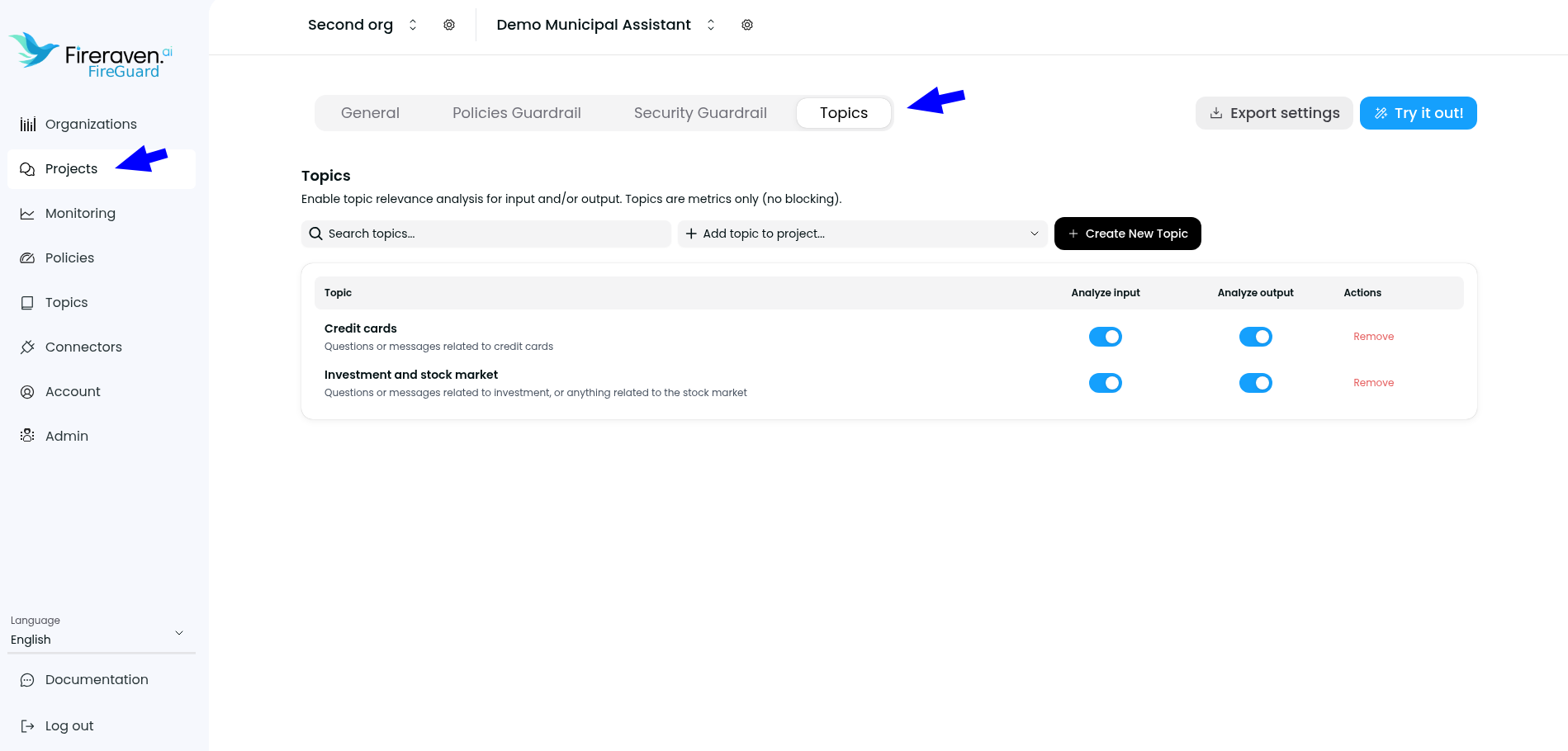
On the project Topics tab:
- Search and add a topic to the project from the dropdown.
- For each attached topic, toggle Analyze input and/or Analyze output to record topic relevance for monitoring (for example in Monitoring and topic analytics).
- Remove detaches the topic from this project; the organization topic remains available for other projects.
Changes apply automatically (debounced save), consistent with other project settings.