Topics (organization)
Topics belong to your organization. Each topic has a name and a definition that FireGuard uses to score topic relevance on messages (monitoring and analytics). To use topics on a project, add them under Project Settings → Topics.
Topic relevance drives monitoring and analytics in the product. Blocking uses policies and the security guardrail (see Guardrails).
Browse and create topics
Open Topics in the left sidebar (organization context). You can search the list, add a topic with + Add Topic, and open each topic’s actions (for example Edit on a topic card).
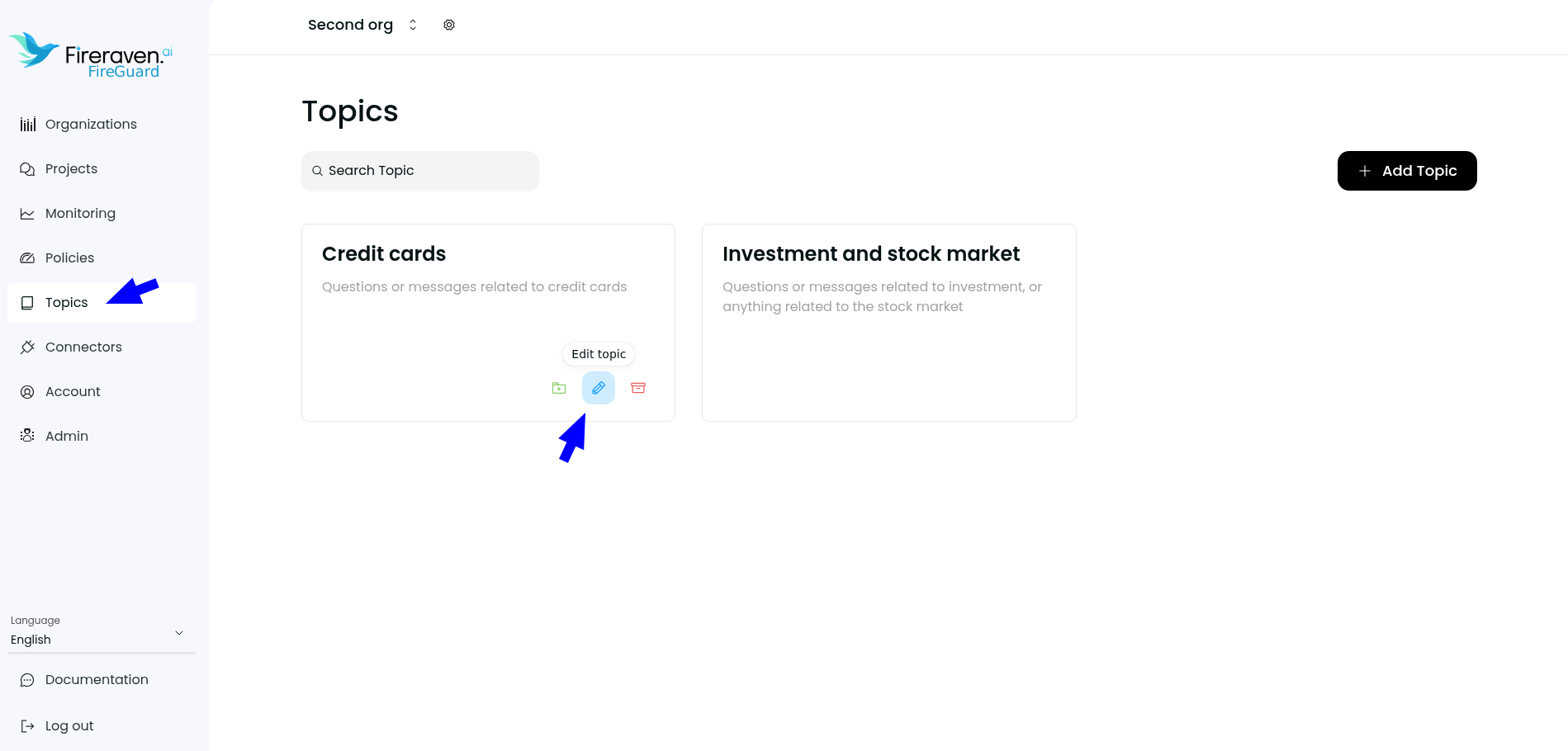
Create or edit a topic
When you add or edit a topic, you set:
- Name — Short label so the topic is easy to recognize.
- Definition — What this topic should cover; this drives how relevance is detected and scored.
- Test your topic — Optional: enter sample text and run Test to check relevance before saving.
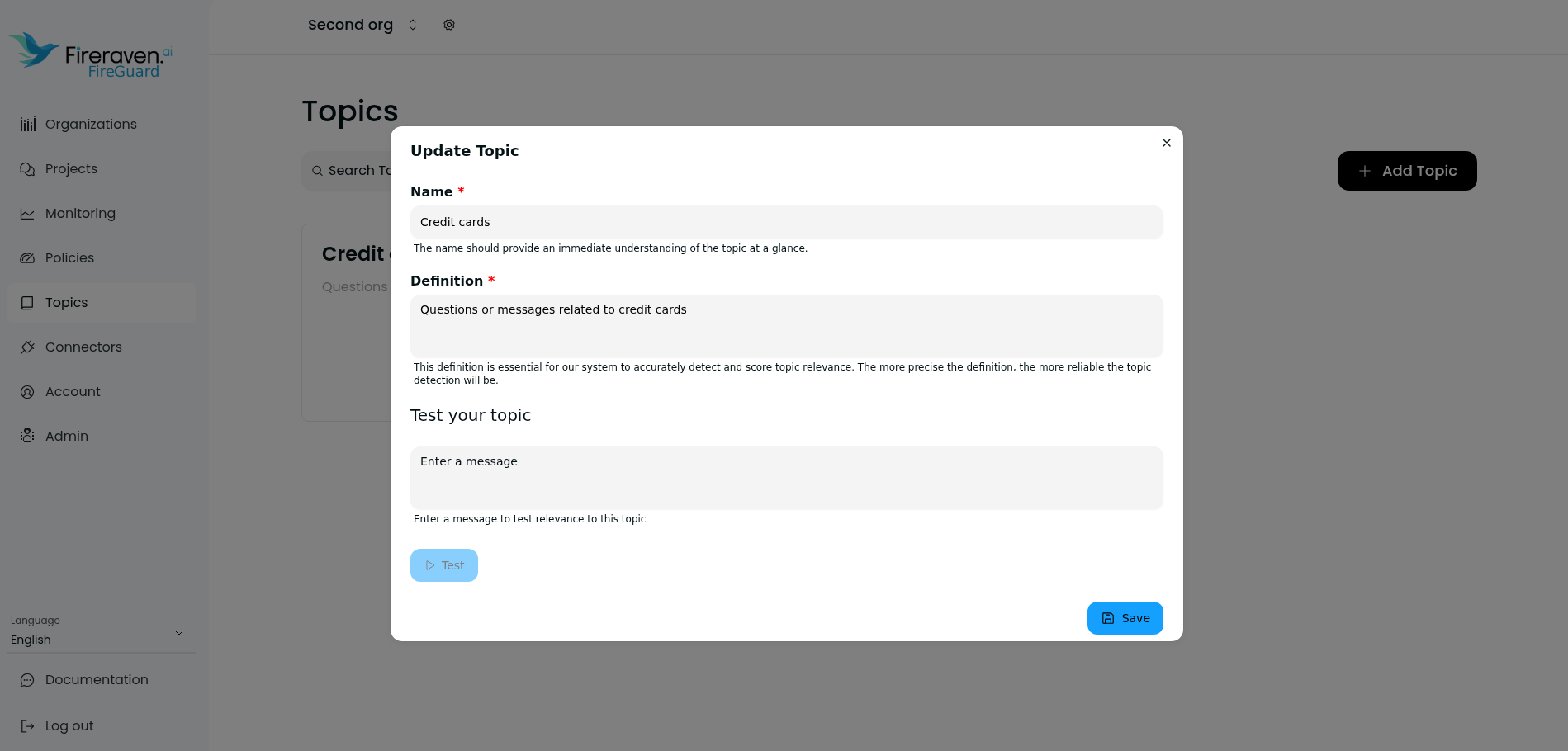
Save your changes. Edits apply to the organization topic; projects that already use this topic will use the updated definition for new analysis.
Use topics on a project
After topics exist at the organization level, open a project → Settings → Topics to attach them and choose Analyze input / Analyze output per topic. See Topics (project).